
WhatsApp Marketing for Indian Businesses: A Complete Step-by-Step Guide
Learn how to use WhatsApp marketing for your Indian business — from Business App setup to API automation. Step-by-step guide with real use cases and ROI data.
VidyaSaaS Team
Super Administrator
Introduction
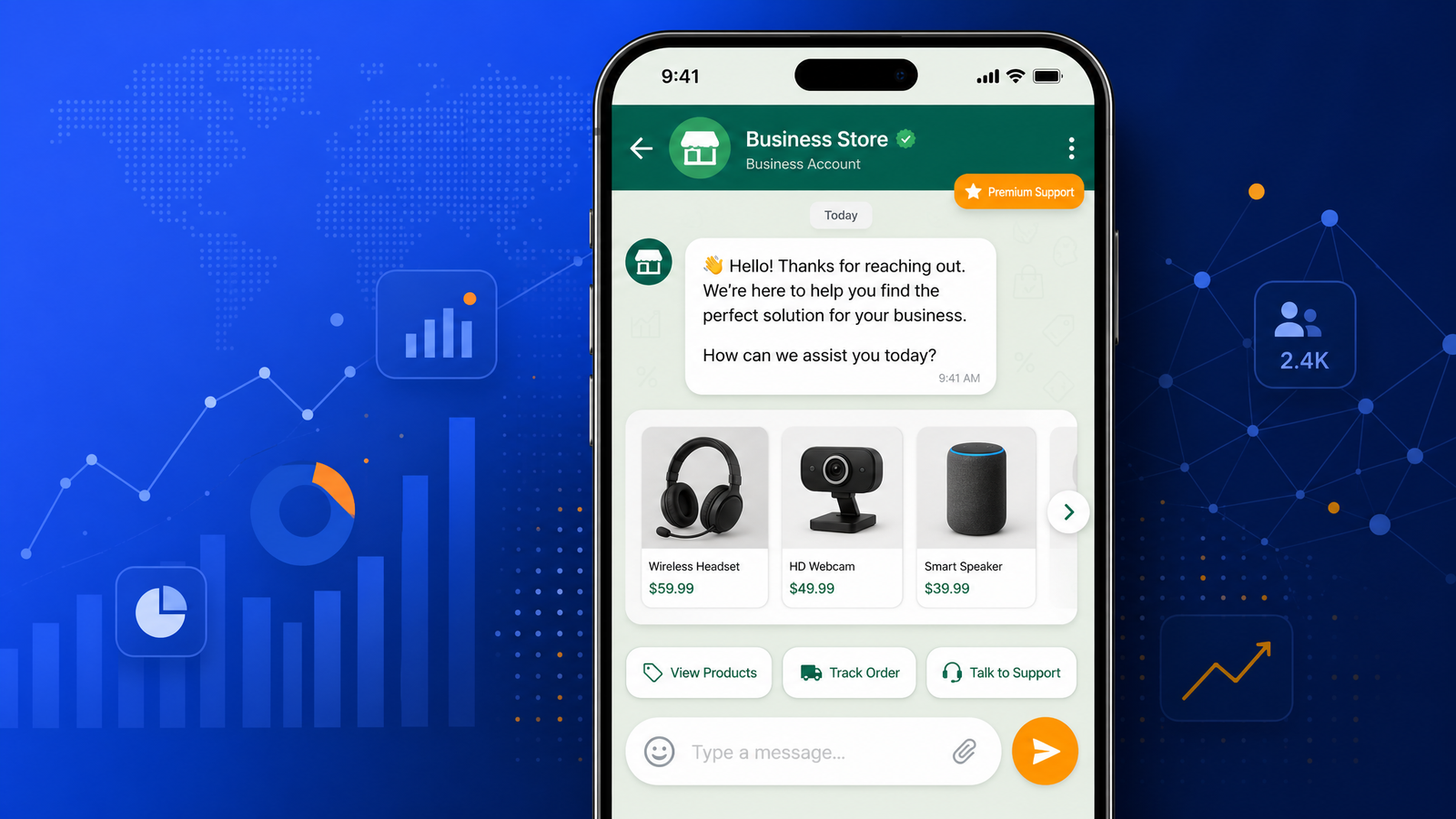
If you run a business in India and you're not on WhatsApp, you're leaving money on the table. Simple as that.
Think about this for a second: 500 million Indians use WhatsApp every single month. That's more people than the entire population of the United States, Canada, and Australia combined. Your customers — existing and potential — are already on WhatsApp. They're messaging their family, ordering groceries, confirming appointments, and sharing voice notes. The question is not whether your customers use WhatsApp. The question is whether your business shows up there.
Most Indian businesses get this. The local chaiwala has a WhatsApp broadcast. The real estate agent sends property photos on WhatsApp. The boutique owner shares new arrivals. But there's a massive gap between sending casual messages and running a structured WhatsApp marketing strategy that actually drives revenue. For a deeper dive, see WhatsApp Business marketing.
That gap is exactly what we're covering today. Whether you're a startup founder in Bangalore, a restaurant owner in Pune, a real estate developer in Gurgaon, or a coaching center in Bhopal, this guide will take you from zero to a fully functional WhatsApp marketing setup. No fluff. Just practical steps you can implement starting tomorrow.
Let's get into it.
Why WhatsApp Marketing is Non-Negotiable for Indian Businesses
Before we talk about how to use WhatsApp for marketing, let's understand why it matters so much — specifically in the Indian context.
The Open Rate Game
Email marketing, when done well, gives you open rates of 15-25%. SMS marketing sits around 30-40%. WhatsApp? We're looking at 90%+ open rates within the first three minutes of delivery. That's not a typo. Ninety percent of WhatsApp messages are read within three minutes.
What does this mean for your business? It means when you send a promotional offer, a cart reminder, or an appointment confirmation on WhatsApp, it actually gets seen. Not buried in a spam folder. Not lost in a crowded SMS inbox. Seen and read.
India's WhatsApp Ecosystem
India is WhatsApp's largest market by a massive margin. Over 500 million users. That's more than double the next biggest market (Brazil, around 140 million). Indian users don't just have WhatsApp installed — they use it as their primary communication tool. For millions of Indians, WhatsApp IS the internet. It's where they chat, share, shop, and even make payments. For a deeper dive, see digital marketing framework.
This deep penetration means WhatsApp marketing in India isn't optional. It's where your customers live.
Trust Factor
WhatsApp has a level of intimacy that other channels don't. People share personal conversations there. When a business messages them on WhatsApp, it feels more personal than an email or an ad. This trust advantage means higher conversion rates, better response rates, and stronger customer relationships.
Step 1: Choose the Right WhatsApp Tool for Your Business
Here's where most businesses get confused. WhatsApp offers two different tools for business use, and choosing the wrong one costs you time and money.
WhatsApp Business App (Free)
The WhatsApp Business App is a free Android or iOS app designed for small businesses. If you're a solo entrepreneur, a local shop, or a business handling less than 100 customer conversations per day, this is your starting point.
What you get with the Business App:
- Business profile with description, email, website, and address
- Quick replies for common questions
- Labels to organize chats (new customer, pending payment, order received)
- Automated away messages and greeting messages
- Catalog feature to showcase products (up to 500 items)
- Basic messaging statistics
Limitations:
- Only works on one phone number
- No team collaboration (multiple agents can't log in)
- No automation beyond basic auto-replies
- No API integration
- Manual broadcast to up to 256 contacts per list
The Business App is perfect for freelancers, single-location retailers, and service providers who handle conversations personally. But if you have a team, handle more than 50 conversations daily, or want to automate workflows, you'll outgrow it quickly.
WhatsApp Business API (Paid)
The WhatsApp Business API is the enterprise-grade solution. It connects WhatsApp to your CRM, your automation tools, and your customer support system. This is what medium and large businesses use.
What you get with the API:
- Unlimited messaging (within WhatsApp's 24-hour customer service window)
- Team collaboration — multiple agents can handle conversations
- Automation through chatbots
- Integration with CRMs like HubSpot, Zoho, Salesforce
- Broadcast capabilities to thousands of customers (opt-in required)
- Message templates pre-approved by WhatsApp
- Detailed analytics and reporting
Limitations:
- Requires a Business Solution Provider (BSP) like Twilio, WATI, or Interakt
- Costs involved (platform fees + conversation charges)
- Setup is more complex than the Business App
- WhatsApp approval needed for message templates
For most serious businesses — anything beyond a one-person operation — the API is worth the investment. The ability to automate, scale, and integrate with your existing tools makes it a completely different ballgame.
Step 2: Set Up Your WhatsApp Business Profile
This is simple but most businesses get it wrong. Your business profile is the first thing customers see when they look at your WhatsApp. Make it count.
What to include:
- Business name: Use your exact business name. If your bakery is called "Frost Cakes & Co," put that, not "Frost Cakes pvt ltd official WhatsApp."
- Description: One or two sentences about what you do. "Home decor and furniture store in Hyderabad. DM for orders and quotes." Keep it short.
- Email and website: Always include these. Customers who want detailed info will visit your site.
- Address: If you have a physical location, include it for navigation.
- Category: Pick the right category from WhatsApp's list. This helps WhatsApp show your business in relevant searches.
- Profile photo: Use your logo. Not a product photo. Not a selfie. Your logo builds brand recognition.
Step 3: Set Up Key WhatsApp Business Features
Once your profile is ready, set up these features that will save you hours every week.
Quick Replies
Quick replies are pre-saved messages for common questions. Instead of typing "Yes, we deliver to all areas of Mumbai within 5 km. Minimum order is ₹300 and delivery charges are ₹40" twenty times a day, you save it once and use it with three taps.
Common quick replies to create:
greeting— Hello message when a new customer messageshours— Business hoursdelivery— Delivery policy and chargespricing— How to get pricing infolocation— Store address and Google Maps linkpayment— Accepted payment methodsreturn— Return and exchange policy
Labels
Labels help you organize your chats. The default labels are "New Customer," "Pending Payment," "Order Received," and "Completed." Customize them to match your workflow.
Label ideas for different businesses:
E-commerce: New Order, Payment Pending, Shipped, Delivered, Return Requested
Service Business: Inquiry, Quote Sent, Follow-up Needed, Booked, Completed
Real Estate: New Lead, Site Visit Scheduled, Negotiation, Deal Closed, Not Interested
Catalog
The catalog feature lets you showcase your products or services directly on WhatsApp. Customers can browse without leaving the app. This is gold for e-commerce businesses, restaurants, and service providers.
Catalog best practices:
- High-quality images (product against white background works best)
- Clear pricing (include GST or note "prices may vary")
- Short descriptions (focus on benefits, not features)
- Keep it updated (remove out-of-stock items immediately)
Away Messages and Greeting Messages
Set up an automatic greeting for when someone messages you first. "Hi! Thanks for reaching out to Frost Cakes. We're online 10 AM to 9 PM. How can we help?"
Set an away message for after-hours. "We're currently closed. We'll get back to you when we open at 10 AM tomorrow. For urgent orders, please call [number]."
Step 4: Build Your WhatsApp Broadcast List (The Right Way)
This is where most Indian businesses mess up. They take their entire phonebook, add everyone to a broadcast list, and start sending promotional messages. That's spam. And WhatsApp will flag you for it.
How Broadcast Lists Actually Work
Broadcast lists send your message to everyone on the list, but recipients only see it if you have their number saved in your contacts. If you don't, they won't receive the broadcast. This is WhatsApp's way of preventing bulk spam.
Building a Legitimate Broadcast List
Step 1: Start with customers who have already messaged you. If someone contacted you first, they've opted in by default.
Step 2: Add a WhatsApp opt-in to your website. A simple checkbox on your contact form: "I agree to receive updates and offers on WhatsApp." This is not only good practice — it's required for WhatsApp Business API compliance.
Step 3: Ask customers in-store or on calls. When someone buys from you, ask: "Would you like to receive updates and offers on WhatsApp?" If they say yes, add them.
Step 4: Promote your WhatsApp number on social media. "Follow us on WhatsApp for exclusive deals" with a click-to-chat link.
Step 5: Segment your list. Don't send the same message to everyone. Group customers by what they bought, where they are, and how often they buy.
Broadcast Frequency Guidelines
- Service businesses: 1-2 messages per week maximum
- E-commerce: 2-4 messages per week (new arrivals, offers, cart reminders)
- Real estate: 1 message per week (new properties, market updates)
- Educational: 2-3 messages per week (course updates, tips, webinars)
Over-messaging is the fastest way to get blocked. Remember — WhatsApp is intimate. Treat it that way.
Step 5: Use WhatsApp for Customer Support
WhatsApp is becoming the primary customer support channel for Indian businesses. And for good reason — it's faster than email, less intrusive than a phone call, and allows rich media.
Setting Up WhatsApp Support
For small businesses (Business App):
Use labels to categorize support chats. Create labels for "Support - Active," "Support - Resolved," and "Support - Escalated."
Use quick replies for common support questions. If you're in e-commerce, your top three support questions are probably:
- Where is my order?
- Can I return this?
- Do you have this in stock?
Have quick replies ready for all three.
For growing businesses (Business API):
Set up a chatbot for first-level support. The chatbot can handle:
- Order status inquiries (connected to your backend)
- Return policy questions
- Business hours and location
- Product availability
Only escalate to a human agent when the chatbot can't handle the query. This saves massive time and resources.
Best Practices for WhatsApp Support
- Respond within 15 minutes during business hours. 90% of WhatsApp users expect a fast response.
- Use rich media. Instead of describing a product, send a photo. Instead of directions, send a location pin.
- Don't transfer conversations unnecessarily. If someone asks a sales question and then a support question, handle it in the same chat. Don't make them repeat themselves.
- Keep it personal. Use their name. Reference their previous purchases. "Hi Rohan, I see you ordered the blue shirt last week. How's the fit?"
Step 6: WhatsApp for Sales and Lead Nurturing
This is where WhatsApp marketing becomes a revenue driver, not just a communication channel.
The WhatsApp Sales Funnel
Awareness: Customer clicks a WhatsApp ad or click-to-chat link on your website.
Interest: You send a greeting message with a catalog link or introductory offer.
Consideration: Customer asks questions about products/services. You use quick replies and catalog sharing to address them.
Decision: You send a personalized quote or offer. This is where the intimacy of WhatsApp works in your favor.
Purchase: You confirm the order and send payment instructions. After payment, send a confirmation message.
Retention: 3-5 days after delivery, check in. "Hi, how's the [product] working for you? Let us know if you need anything."
Repeat: Send relevant offers based on purchase history. A customer who bought a phone case might be interested in a screen protector.
Lead Nurturing Sequences on WhatsApp
Unlike email, you can't send a 7-email drip sequence on WhatsApp without being intrusive. WhatsApp nurturing is shorter and more value-driven.
Day 1: Welcome message with useful info. Not a sales pitch. Day 3: Quick tip related to your product/service. Day 7: Case study or testimonial from a similar customer. Day 10: Offer or consultation invitation. Day 14: Follow-up if no response.
Space your messages out. Each message should provide value. If every WhatsApp message from your business is asking for money, customers will block you.
Step 7: WhatsApp Automation with Chatbots
Chatbots aren't just for big corporates anymore. Indian small and medium businesses are using WhatsApp chatbots to handle repetitive tasks 24/7.
What a WhatsApp Chatbot Can Do for Your Business
For e-commerce:
- Show product catalog based on category selection
- Check order status
- Process returns
- Send tracking links
For services:
- Book appointments
- Share service menu and pricing
- Collect customer details
- Send appointment reminders
For real estate:
- Share property listings based on budget and location
- Schedule site visits
- Share project brochures and floor plans
- Follow up on leads automatically
For education:
- Share course details and fee structure
- Enroll students
- Share class schedules
- Send assignment reminders
Building Your First WhatsApp Chatbot
Start simple. Don't try to automate everything at once.
Step 1: Identify the top 3-5 questions customers ask repeatedly.
Step 2: Create a simple decision tree. If they ask about pricing, send pricing. If they ask about delivery, send delivery info.
Step 3: Have a clear escalation path. If the chatbot can't handle the query, it transfers to a human.
Step 4: Monitor and improve. Check the chatbot logs weekly. What questions are people asking that the chatbot can't handle? Add those.
Step 8: Compliance and WhatsApp Policy — Don't Get Banned
WhatsApp takes spam and policy violations seriously. Indian businesses have lost WhatsApp access because they ignored the rules. Here's what you need to know.
The 24-Hour Rule
With the WhatsApp Business API, you can send proactive messages to customers within 24 hours of their last message to you. After 24 hours, you can only send messages using pre-approved templates, and only for specific use cases (order updates, appointment reminders, payment confirmations).
Opt-In is Mandatory
You cannot add random phone numbers to your WhatsApp list. Every contact must have explicitly opted in to receive messages from you. This isn't just good practice — violating this can get your WhatsApp Business account suspended.
Message Templates Need Approval
For API users, all proactive messages (initiated by you, not the customer) need pre-approved message templates. WhatsApp reviews these templates for policy compliance.
What Gets Your Account Flagged
- Sending the same message to many people who haven't opted in
- High block rates (if more than 5-10% of recipients block you)
- Spam complaints
- Using WhatsApp for prohibited industries (certain gambling, tobacco, adult content)
- Sending too many messages too quickly
Safe Practices
- Always include an opt-out option
- Segment your list — don't blast everyone
- Monitor your block rate weekly
- Use quality over quantity in your messaging
- Keep promotional messages to less than 20% of total messages
Real-World WhatsApp Marketing Use Cases by Industry
E-commerce: Myntra-Style Recovery
Myntra-style abandoned cart reminders on WhatsApp convert at 3-5x the rate of email reminders. Send a simple message: "Hi [name], you left [product] in your cart. It's still available. Want to complete your order?" Include a direct payment link.
Real Estate: Property Tours
A Pune real estate developer uses WhatsApp to send 360-degree video tours of properties. Prospects watch the video, ask questions in the same chat, and schedule site visits without switching channels. Their lead-to-visit conversion rate improved by 40%.
Restaurant: Pre-ordering
A restaurant in Indore lets customers browse their menu on WhatsApp catalog, place pre-orders, and get estimated wait times. During peak hours, customers send their order from the car, and the food is ready when they arrive.
Education: Batch Updates
A coaching institute in Bhopal sends batch timings, test schedules, and study material updates on WhatsApp. They use broadcast lists segmented by subject, so science students don't get commerce updates. Parent engagement improved significantly.
Healthcare: Appointment Reminders
A dental clinic in Bangalore sends WhatsApp appointment reminders 24 hours before, with a link to reschedule. No-shows dropped from 22% to 8% within two months.
Measuring WhatsApp Marketing ROI
You can't improve what you don't measure. Here are the key metrics for WhatsApp marketing.
Metrics That Matter
Delivery rate: Percentage of messages successfully delivered. Above 95% is good.
Read rate: Percentage of delivered messages that were read. Should be above 85% for well-targeted messages.
Response rate: Percentage of recipients who responded. This varies by industry but 15-30% is a good benchmark for promotional messages.
Click-through rate: If you're sharing links, what percentage of readers clicked? Aim for 10-20%.
Conversion rate: Percentage of conversations that led to a sale. Track this by linking WhatsApp conversations to your CRM.
Block rate: Percentage of recipients who block you after a message. Keep this below 2%. If it goes above 5%, you're messaging too much or to the wrong people.
Cost Comparison
WhatsApp marketing is significantly cheaper than traditional channels:
- SMS blast: ₹0.50-1.50 per message
- Email marketing: ₹0.10-0.50 per email (ESP costs)
- WhatsApp Business API: ₹0.25-0.75 per conversation
- WhatsApp Business App: Free (tool cost)
The real cost advantage is in the conversion rates. A WhatsApp campaign that costs ₹5,000 in platform fees might generate 2x the revenue of a ₹10,000 SMS campaign because of the higher engagement.
Getting Started: Your 7-Day WhatsApp Marketing Launch Plan
Day 1: Download and set up WhatsApp Business App. Complete your profile with photo, description, hours, and address.
Day 2: Create 10 quick replies for your most common customer questions.
Day 3: Set up greeting and away messages. Create labels that match your sales process.
Day 4: Build your catalog with 10-20 products or services. Take good photos and write clear descriptions.
Day 5: Start building your broadcast list. Add 20 customers who have already messaged you.
Day 6: Send your first broadcast. Something useful, not promotional. A usage tip or an interesting fact about your product.
Day 7: Review your first week. What worked? What didn't? Plan your second week.
After the first week, move to API-based automation if the volume justifies it. Most businesses with 200+ conversations per month should seriously consider the API upgrade.
📚 Related Articles You Might Like:
Conclusion
WhatsApp marketing for Indian businesses isn't a trend — it's the new baseline. With 500 million Indian users, 90%+ open rates, and customers who prefer messaging over calling, ignoring WhatsApp means ignoring your customers.
Start where you are. Use the Business App if you're small. Upgrade to the API as you grow. Build your list legitimately. Offer value before asking for the sale. And always, always respect the platform's intimacy.
VidyaSaaS helps Indian businesses build and optimize WhatsApp marketing strategies — from Business App setup to full API automation with chatbots. If you're ready to turn WhatsApp into a revenue channel instead of just a messaging app, get in touch with us or call +91 97542 70102.
Want Results Like This?
Get a free digital marketing audit and custom growth plan for your business.
Get Free AuditVidyaSaaS Team
Super AdministratorPart of the VidyaSaaS team — a group of digital marketing strategists, content specialists, and growth experts helping businesses across India achieve measurable results through data-driven marketing.
More about our teamRelated Articles
Handpicked content to help you grow your business
Silk City 2.0: Rebranding Bhagalpur Through Digital Marketing for Textiles, Education & Small-Scale Industry
Bhagalpur's Tussar silk is world-renowned, but the city's brand is stuck in the past. Here is the di...

Beyond Ajmer Sharif: Building a Modern Brand Identity for Rajasthan's Pilgrimage & Education City
Ajmer receives 15 crore pilgrims annually but struggles with a brand identity stuck in the 1990s. He...

Bikaner Desert to Digital: Branding Strategies for Rajasthan Emerging Food and Tourism Economy
Bikaner produces India's most famous bhujia and is home to one of Asia's largest camel research farm...
Ready to Grow Your Business?
Let's discuss how we can create a data-driven digital marketing strategy tailored to your goals.